[NewStar 2024 Week5]
Ohn_flutter!!!
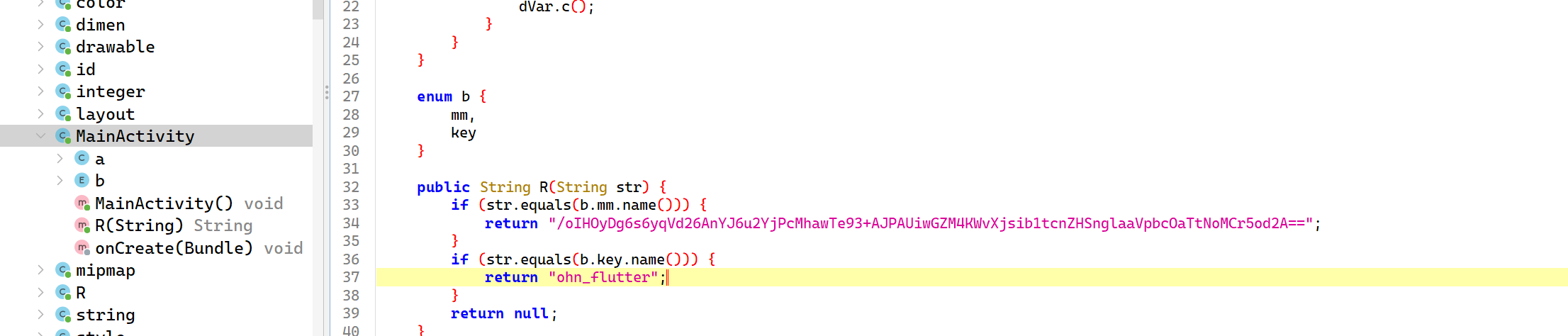
java 层看到密文
使用 blutter 恢复 libapp.so 的符号
先克隆 blutter 项目
1 git clone https://github.com/worawit/blutter --depth=1
1
2
D:\aaa\flutter\blutter>python -m pip install pyelftools
ns24 目录中存放着已经提取出来的 so 文件,在 blutter
目录下找到刚刚新生成的 output 文件夹
找到里面的 ida_script\addNames.py,在 ida 8.3 中(ida 9.0
的 api 改变了,使用这个脚本会有报错,不能完全恢复)用这个脚本恢复 so
文件的符号,由于我 8.3 的 ida 没法反编译 arm,所以把把这个保存成
i64,然后选择 bn 中的 Analysis -> Import Debug Info from External
File 导入 i64 文件,即可在 bn 中看到还原了函数名的 so 文件
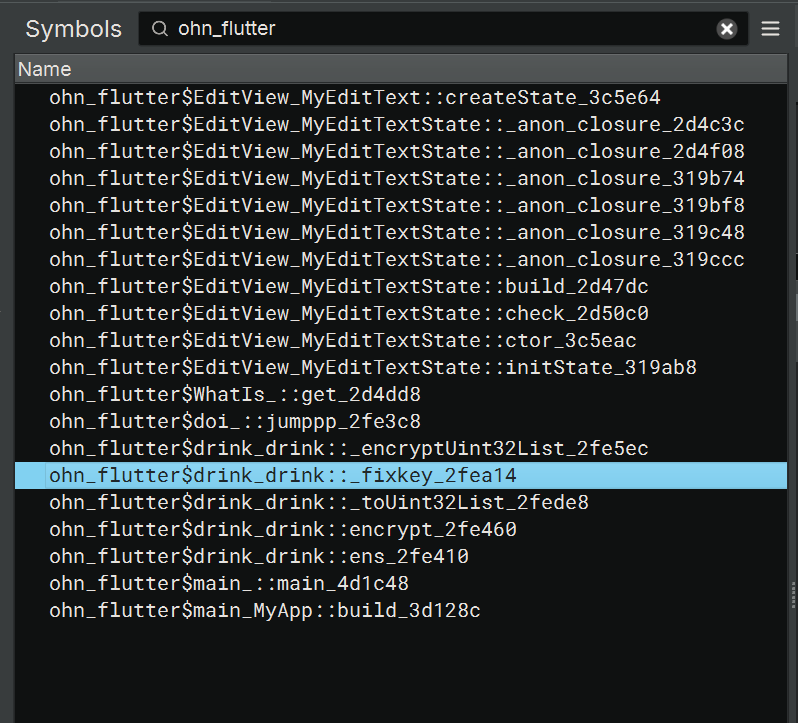
搜索 ohn_flutter 查找关键函数
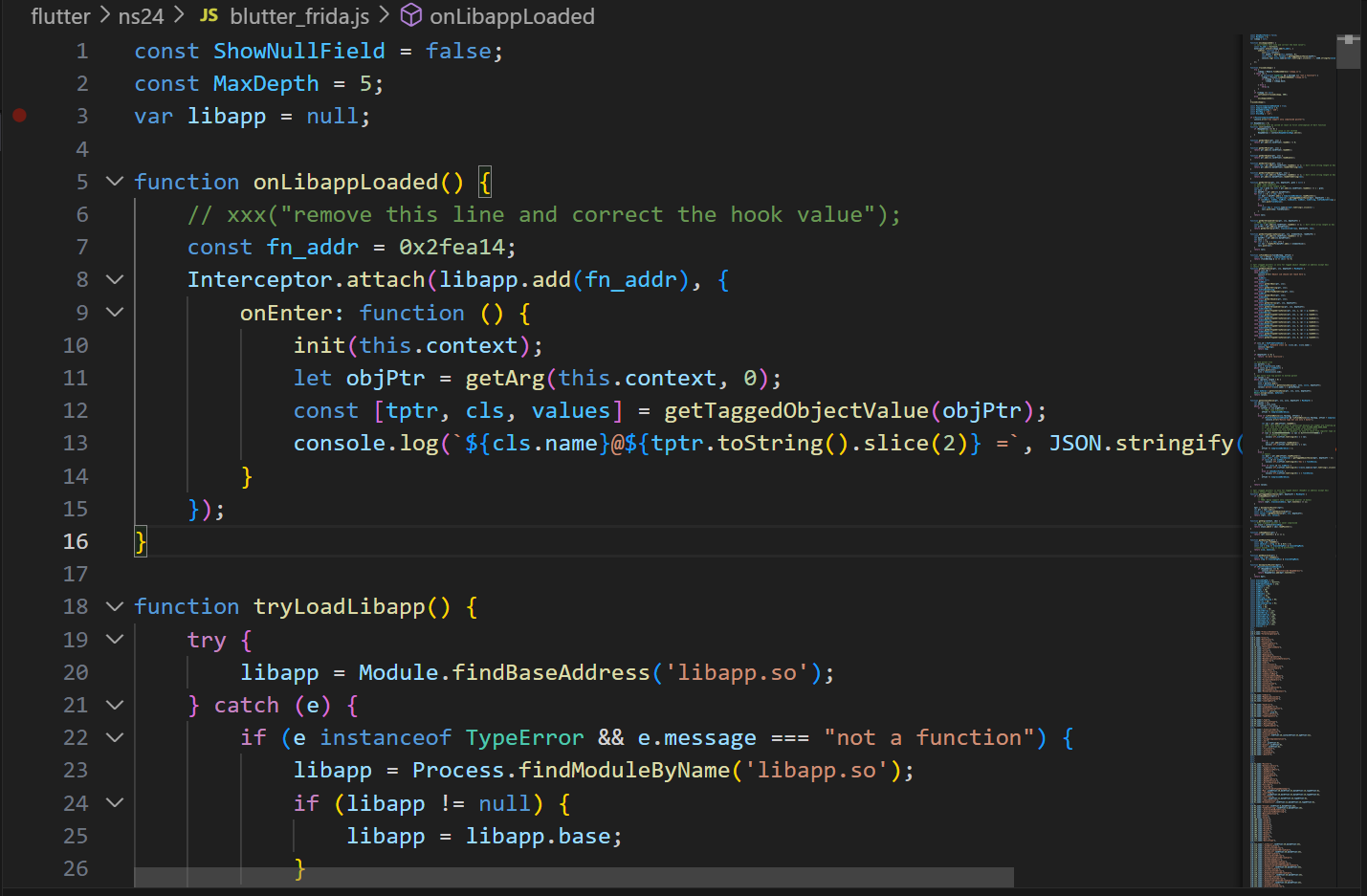
用 blutter 里面的 blutter_frida.js 脚本 hook 函数的参数
ohn_flutter$drink_drink::_fixkey_2fea14
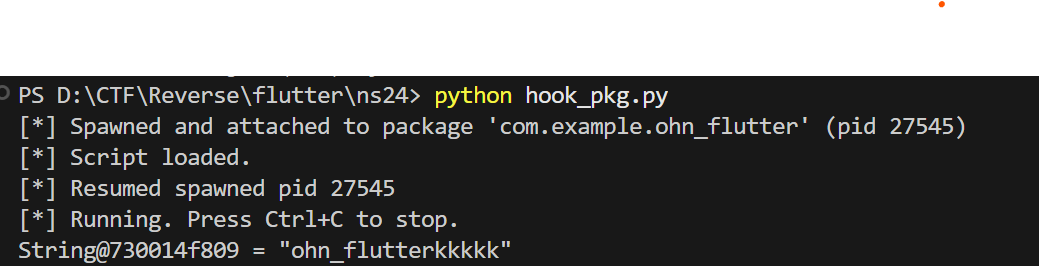
得到 key
111,104,110,95,102,108,117,116,116,101,114,107,107,107,107,107
hook ohn_flutter$doi_::jumppp_2fe3c8的参数也能得到 key
为 ohn_flutterkkkkk
点进
ohn_flutter$doi_::jumppp_2fe3c8 -> ohn_flutter$drink_drink::ens_2fe410 -> ohn_flutter$drink_drink::encrypt_2fe460
里面有不少有用的函数如最开始 hook 过的
ohn_flutter$drink_drink::_fixkey_2fea14
hook
ohn_flutter$drink_drink::_encryptUint32List_2fe5ec
1 2 3 4 5 6 _Uint32List@730017d e19 = [1601071215 ,1953852518 ,1802659188 ,1802201963
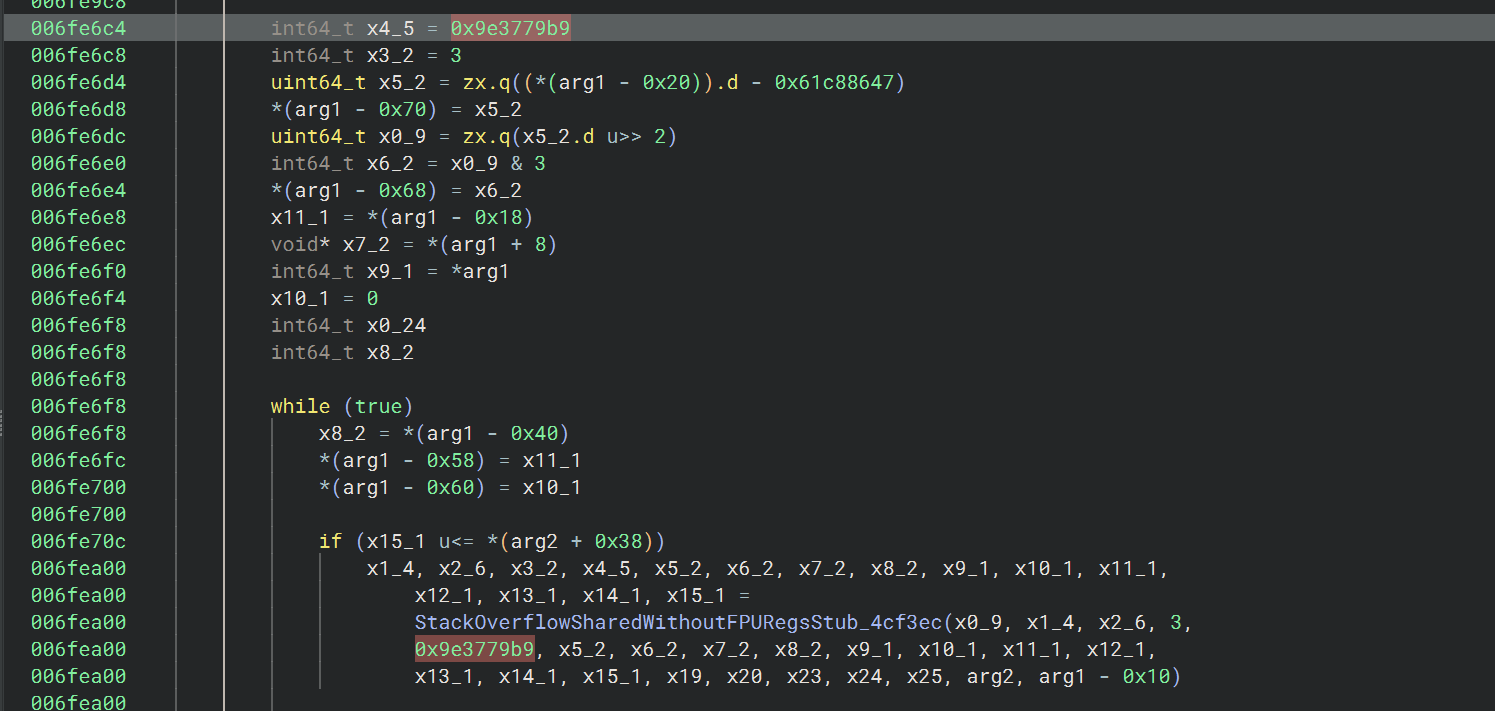
仔细看这个函数,发现了很多 xxtea 的特征
DELTA = 0x9E3779B9
rounds = 6 + 52 / n
函数的开头可以看到定义 x2 = 0x34(52)
MX = ((z >> 5 ^ y << 2) + (y >> 3 ^ z << 4)) ^ ((sum ^ y) + (key[(p & 3) ^ e] ^ z))
然后往前交叉引用
hook dart_convert_Codec::encode_2d5178
1 2 _Uint8List@7300131939 = [0,44,116,172 ,168,123,57,249 ]730013 b8e9 = [115,125,141,220 ,54,187,239,62 ,180,24,73,101 ,254,58,44,214 ]
点进这个函数,看到有个 base64
dart_convert_Base64Encoder::convert_409c50
到这里这条线的函数差不多就看完了
再回到开始的地方
1 ohn_flutter$EditView_MyEditTextState ::_anon_closure_2d4f08 -> encrypt$encrypt_Encrypted ::ctor_fromUtf8_2fe1c4 -> dart_convert_Utf8Encoder::convert_40b1a8
hook dart_convert_Utf8Encoder::convert_40b1a8
1
2
3
4
5
6
7
8
9
10
11
12
13
14
15
16
17
18
19
String @730078e5 b9 = "{\" method\" :\" TextInput.setClient\" ,\" args\" :[1,{\" inputType\" :{\" name\" :\" TextInputType.text\" ,\" signed\" :null,\" decimal\" :null},\" readOnly\" :false,\" obscureText\" :false,\" autocorrect\" :true,\" smartDashesType\" :\" 1\" ,\" smartQuotesType\" :\" 1\" ,\" enableSuggestions\" :true,\" enableInteractiveSelection\" :true,\" actionLabel\" :null,\" inputAction\" :\" TextInputAction.done\" ,\" textCapitalization\" :\" TextCapitalization.none\" ,\" keyboardAppearance\" :\" Brightness.light\" ,\" enableIMEPersonalizedLearning\" :true,\" contentCommitMimeTypes\" :[],\" autofill\" :{\" uniqueIdentifier\" :\" EditableText-28050040\" ,\" hints\" :[],\" editingValue\" :{\" text\" :\" \" ,\" selectionBase\" :0,\" selectionExtent\" :0,\" selectionAffinity\" :\" TextAffinity.downstream\" ,\" selectionIsDirectional\" :false,\" composingBase\" :-1,\" composingExtent\" :-1},\" hintText\" :\" Fill flag here and Press enter...\" },\" enableDeltaModel\" :false}]}" String @7300790499 = "{\" method\" :\" TextInput.setEditableSizeAndTransform\" ,\" args\" :{\" width\" :372.72727272727275,\" height\" :24.0,\" transform\" :[1.0,0.0,0.0,0.0,0.0,1.0,0.0,0.0,0.0,0.0,1.0,0.0,10.0,105.63636363636364,0.0,1.0]}}" String @7300791709 = "{\" method\" :\" TextInput.setMarkedTextRect\" ,\" args\" :{\" width\" :2.0,\" height\" :24.0,\" x\" :0.18181818181818166,\" y\" :0.18181818181818699}}" String @7300792309 = "{\" method\" :\" TextInput.setStyle\" ,\" args\" :{\" fontFamily\" :\" Roboto\" ,\" fontSize\" :16.0,\" fontWeightIndex\" :3,\" textAlignIndex\" :4,\" textDirectionIndex\" :1}}" String @7300792 f59 = "{\" method\" :\" TextInput.setEditingState\" ,\" args\" :{\" text\" :\" \" ,\" selectionBase\" :0,\" selectionExtent\" :0,\" selectionAffinity\" :\" TextAffinity.downstream\" ,\" selectionIsDirectional\" :false,\" composingBase\" :-1,\" composingExtent\" :-1}}" String @73007939 c9 = "{\" method\" :\" TextInput.show\" ,\" args\" :null}" String @73007942 a9 = "{\" method\" :\" TextInput.requestAutofill\" ,\" args\" :null}" String @73007 a9c69 = "{\" method\" :\" TextInput.setCaretRect\" ,\" args\" :{\" width\" :2.0,\" height\" :24.0,\" x\" :0.18181818181818166,\" y\" :0.18181818181818699}}" String @73007 f7c19 = "{\" method\" :\" TextInput.show\" ,\" args\" :null}" String @73007 f8fd9 = "[null]" String @73001063e9 = "{\" method\" :\" TextInput.setCaretRect\" ,\" args\" :{\" width\" :2.0,\" height\" :24.0,\" x\" :36.909090909090914,\" y\" :0.18181818181818699}}" String @7300110 ab9 = "{\" method\" :\" TextInput.clearClient\" ,\" args\" :null}" String @7300111619 = "[null]" String @7300111 b89 = "{\" method\" :\" TextInput.hide\" ,\" args\" :null}" String @73007 f70a9 = "aaaa" String @73001124 c9 = "ohn_flutterkkkkk" String @73000 fd5d1 = "12345678901234561234567890123456" String @7300113 d99 = "1234567890123456" String @7300113 c49 = "mpxRIDtEnuE="
发现一个 AES
1 ohn_flutter$EditView_MyEditTextState ::_anon_closure_2d4f08 -> encrypt$encrypt_AES ::ctor_2d5474
hook encrypt$encrypt_AES::ctor_2d5474
1 2 3 4 5 Key@73001121a9 = {"parent!Encrypted" : {"off_8!_Uint8List@7300112299 " : [49 , 50 , 51 , 52 , 53 , 54 , 55 , 56 , 57 , 48 , 49 , 50 , 51 , 52 , 53 , 54 , 49 , 50 , 51 , 52 , 53 , 54 , 55 , 56 , 57 , 48 , 49 , 50 , 51 , 52 , 53 , 54 ]
1 ohn_flutter$EditView_MyEditTextState ::_anon_closure_2d4f08 -> encrypt$encrypt_Encrypter ::encrypt_2d51f0
hook encrypt$encrypt_Encrypter::encrypt_2d51f0
1 2 3 4 5 6 7 IV@73001146b9 = {7300114769 ": [49,50,51,52 ,53,54,55,56 ,57,48,49,50 ,51,52,53,54
hook
ohn_flutter$EditView_MyEditTextState::check_2d50c0
1 String @730011edd9 = "c32N3Da77z60GEll/jos1g=="
exp: 1 2 3 4 5 6 7 8 9 10 11 12 13 14 15 16 17 18 19 20 21 22 23 24 25 26 27 28 29 30 31 32 33 34 35 36 37 38 39 40 41 42 43 44 45 46 47 48 49 50 51 52 53 54 55 56 57 58 59 60 61 62 63 64 65 66 67 68 69 70 71 72 73 74 75 76 77 78 79 import base64from Crypto.Cipher import AESdef d2b (dword ):return b'' .join(i.to_bytes(4 ,'little' ) for i in dword)def b2d (byte_array ):return [int .from_bytes(byte_array[i:i+4 ], 'little' ,signed=False ) for i in range (0 ,len (byte_array),4 )]def xxtea_enc (v,key ):len (v)if n < 1 :return v0x9E3779B9 6 + 52 // nsum = 0 1 ]for _ in range (rounds):sum = (sum + delta) & 0xFFFFFFFF sum >> 2 ) & 3 for p in range (n):1 ) % n]5 ^ y << 2 ) + (y >> 3 ^ z << 4 )) ^ ((sum ^ y) + (key[(p & 3 ) ^ e] ^ z)))) & 0xFFFFFFFF return vdef xxtea_dec (v,key ):len (v)if n < 1 :return v0x9E3779B9 6 + 52 // nsum = (rounds * delta) & 0xFFFFFFFF 0 ]for _ in range (rounds):sum >> 2 ) & 3 for p in range (n - 1 , -1 , -1 ):1 ] if p > 0 else v[n-1 ]5 ^ y << 2 ) + (y >> 3 ^ z << 4 )) ^ ((sum ^ y) + (key[(p & 3 ) ^ e] ^ z)))) & 0xFFFFFFFF sum = (sum - delta) & 0xFFFFFFFF return vdef pkcs7_unpad (data ):return data[:-data[-1 ]] if __name__ == "__main__" :b"/oIHOyDg6s6yqVd26AnYJ6u2YjPcMhawTe93+AJPAUiwGZM4KWvXjsib1tcnZHSnglaaVpbcOaTtNoMCr5od2A==" b"12345678901234561234567890123456" b"1234567890123456" print (f"aes_plain: {aes_plain} " )"ohn_flutterkkkkk" print (f"xxtea_cipher: {xxtea_cipher} " )print (f"decrypt: {(result)} " )
flag 为 flag{U_@r4_F1u774r_r4_m@ster}
[WMCTF 2025]
Want2BecomeMagicalGirl
参考学习的博客是 Pangbai
师傅的:https://pangbai.work/CTF/Reverse/Want2BecomeMagicalGirl/
上次在 windows 上构建的 blutter 似了,这次用 linux 构建
blutter 项目地址 :https://github.com/worawit/blutter
1 2 3 4 5 6 git clone https://github.com/worawit/blutter --depth=1cd bluttersudo apt install python3-pyelftools python3-requests git cmake ninja-build \
使用 blutter 生成的 out_dir 目录下的 ida_script/addNames.py 脚本在
ida 中恢复符号
关注 asm 文件,用 ai 分析 magical_girl 里面的 dart
文件,把它还原为可读的代码
我的还原结果如下:
aes_crypt_null_safe.dart
1 2 3 4 5 6 7 8 9 10 11 12 13 14 15 16 17 18 19 20 21 22 23 24 25 import 'dart:typed_data' ;class AesCrypt late Uint8List _key;late Uint8List _iv;void aesSetKeys(Uint8List key, Uint8List iv) {void aesSetMode() {return Uint8List.fromList(plain);
在原始的 dart 代码中搜索 aesSetKeys 和 aesSetMode, 找到函数地址并进行
hook 操作
使用 blutter 生成的 frida 脚本 blutter_frida.js
注意脚本里的这部分内容 1 2 3 4 5 6 7 8 9 10 11 12 13 function onLibappLoaded (const fn_addr = 0x2915f4 ;Interceptor .attach (libapp.add (fn_addr), {onEnter : function (init (this .context );let objPtr = getArg (this .context , 0 );const [tptr, cls, values] = getTaggedObjectValue (objPtr);console .log (`${cls.name} @${tptr.toString().slice(2 )} =` , JSON .stringify (values, null , 2 ));
其中的 let objPtr = getArg(this.context, 0);
的第二个参数 0 表示要被打印的参数索引
hook aesSetKeys 的第一个参数 key 和第二个参数 iv
1 2 3 4 5 6 7 8 9 10 11 12 13 14 15 16 17 18 19 20 21 22 23 24 25 26 27 28 29 30 31 32 33 34 35 36 37 38 39 40 41 42 43 44 45 46 47 48 49 [*] Spawned and attached to package 'work.pangbai.magic.magical_girl' (pid 19508 )19508 setEnabled called with argument: false 77006 ddf29 = [ 1, 2, 3, 4, 5, 6, 7, 8, 9, 10, 11, 12, 13, 14, 15, 16 and attached to package 'work.pangbai.magic.magical_girl' (pid 20635 )20635 setEnabled called with argument: false 770071 f7f9 = [ 122, 37, 197, 36, 198, 51, 76, 48, 243, 98, 175, 172, 63, 35, 3, 213
EditView.dart
1 2 3 4 5 6 7 8 9 10 11 12 13 14 15 16 17 18 19 20 21 22 23 24 25 26 27 28 29 30 31 32 33 34 35 36 37 38 39 40 41 42 43 44 45 46 47 48 49 50 51 52 53 54 55 56 57 58 59 60 61 62 63 64 65 66 67 68 69 70 71 72 73 74 75 76 77 78 79 80 81 82 83 84 85 86 87 88 89 90 91 92 93 94 95 96 97 98 99 100 101 102 103 104 105 106 107 108 109 110 111 112 113 114 115 116 117 118 119 120 121 122 123 124 125 126 127 128 129 130 131 132 133 134 135 136 137 138 139 140 import 'dart:convert' ;import 'dart:typed_data' ;import 'package:flutter/material.dart' ;import 'package:flutter/services.dart' ;import 'package:native_add/native_add.dart' show getKey, getSym; import 'aes_crypt_null_safe.dart' show AesCrypt; import 'null_sub0.dart' as bridge; class MyEditText extends StatefulWidget const MyEditText({super .key});@override class MyEditTextState extends State <MyEditText > final _controller = TextEditingController();String _result = "" ;static const _lyrics = "魔法で最低な人を消そう\nLet's use magic to erase the worst people\n用魔法将恶人全部抹消\n\n" "はぁ正直もうやめたい(はぁ)\nSigh... Honestly I want to quit sigh\n唉 说真的已经累了(唉)\n\n" "魔法少女をやめたい(はぁ)\nI want to stop being a magical girl sigh\n不想再当魔法少女了(唉)\n\n" "自分ごと消えちゃってさようなら\nMaybe I should disappear myself - goodbye\n连同自己也一起抹除 永别了" ;@override final appBar = AppBar(const Text("Want2BecomeMagicalGirl ! ! !" ),const Color(0xFFFFB6C1 ),final input = TextField(const InputDecoration("Fill Magical Spell Here and Press enter..." ,true ,async {"" ;await _checkAndSend(spell);final title = Text("" : _result,const TextStyle(16 , fontWeight: FontWeight.w600,return Scaffold(const EdgeInsets.all(16 ),const Expanded(String _padToBlockSize(String s) {final len = s.length;var pad = 16 - (len & 0x0F );if (pad == 0 ) pad = 16 ;final codePoint = (pad << 1 ); final padStr = String .fromCharCodes(List .filled(pad, codePoint));return s + padStr;static String _uint8ListToHex(Uint8List data) {const hex = "0123456789abcdef" ;final b = StringBuffer ();for (final v in data) {4 ]);0xF ]);return b.toString();void > _checkAndSend(String spell) async {final sym = getSym(); final symBytes = sym.asUint8List(); final looksOk = symBytes.length > 7 && symBytes[7 ] == 0xD6 ;final keyInts = List <int >.from(getKey());final key = Uint8List.fromList(keyInts);final iv = Uint8List.fromList(List <int >.generate(16 , (i) => (i + 1 ) * 2 ));final aes = AesCrypt();final padded = _padToBlockSize(spell);final plain = utf8.encode(padded);final cipher = aes.aesEncrypt(Uint8List.fromList(plain));if (looksOk) {final hex = _uint8ListToHex(cipher);final resp = await bridge.send(hex);const okSig = "8sAFX45zT7uc0vSUyFNNly1h/d5zTt89tV3kcVr5P5n7lRKPyYtxg31zYNB2lPV0c5nf/x2/IK94XV9Ufs9XfaDG5IXxMlZy+Z2nE+ZZRFBSpMoKzQXfUq2TSjJJfQxV" ;final msg = (resp == okSig)"You have become a magical girl ! !" "This spell has no magic power" ;
这里可以直接看到密文
8sAFX45zT7uc0vSUyFNNly1h/d5zTt89tV3kcVr5P5n7lRKPyYtxg31zYNB2lPV0c5nf/x2/IK94XV9Ufs9XfaDG5IXxMlZy+Z2nE+ZZRFBSpMoKzQXfUq2TSjJJfQxV
main.dart 1 2 3 4 5 6 7 8 9 10 11 12 13 14 15 16 17 18 19 20 21 22 23 24 25 26 27 28 29 30 31 32 33 34 35 36 import 'package:flutter/material.dart' ;import 'EditView.dart' ;void main() => runApp(MyApp());class MyApp extends StatelessWidget const MyApp({super .key});@override final primary = const Color(0xFFFFB6C1 ); final accent = const Color(0xFFFF69B4 ); return MaterialApp('可爱编辑器' ,true ,const TextStyle(22 ,const FloatingActionButtonThemeData(),const CardTheme(),const ButtonThemeData(),const MyEditText(),
hook 120s 的弹窗,把按钮设置为可点击 true
1 2 3 4 5 6 7 8 9 10 11 12 13 Java .perform (function (const Button = Java .use ("android.widget.Button" );Button .setEnabled .implementation = function (enabled ) {console .log ("setEnabled called with argument: " + enabled);console .log ("Forcing button to be enabled." );this .setEnabled .call (this , true );
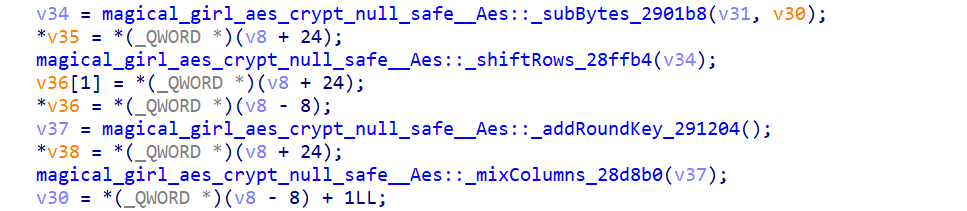
在
__int64 __fastcall magical_girl_aes_crypt_null_safe__Aes::aesEncryptBlock_28d5bc(__int64 a1)
里面发现 AES 是魔改了的,S 盒换了,列混淆和轮密钥加交换了顺序